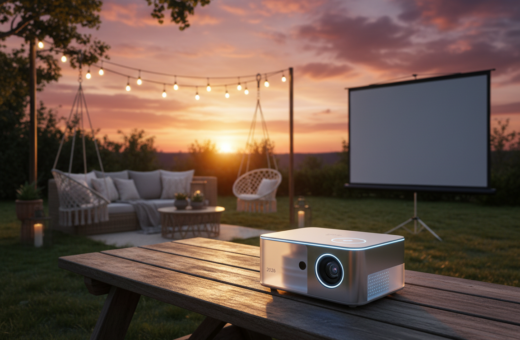
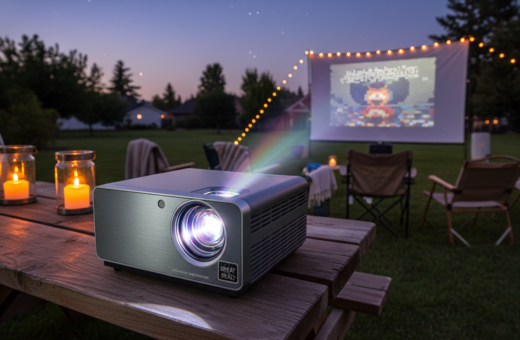
Compact projectors often run hot during long summer screenings. They generate a lot of heat while driving bright images, and their cooling paths can be tight. When a unit cannot shed heat fast enough, overheating can cause shutdowns and reduced performance.
Traditional lamp models produce more warmth than modern laser or LED designs, so lamp care matters. Fans must work steadily to keep components cool. If the fan strains, power draw and noise rise, and the device may show early signs of thermal stress.
Users should let a hot unit rest at least 30 minutes before turning it on again. Good cleaning, sensible brightness and power settings, and following manufacturer support advice form the best policy to protect life and performance of home cinema gear.
Understanding Why Portable Projector Overheating Outdoors Occurs
Heat builds inside small beamers when powerful light sources run at full brightness. Internal components such as the lamp or laser generate the most heat and need constant air movement to stay safe. If fans cannot move cool air through vents, temperature rises quickly.
High ambient temps in a cramped room or an open evening with direct sun make cooling fans less effective. Humidity above the ideal 40–60% range can cause condensation, which threatens sensitive circuits and worsens projector overheating issues.
Dust and lint clogging ventilation grilles restrict airflow and force the cooling system to work harder. Placing the device in a tight spot traps hot air and creates a cycle of rising heat that shortens component life.
Internal Component Heat
The lamp or laser and nearby electronics are the primary heat sources. Fans and vents form the cooling path; keeping them clean and clear is a basic, effective solution.
The Impact of Summer Humidity
Humidity affects both cooling efficiency and the risk of internal condensation. Maintaining proper ventilation and choosing shaded placement reduces risk and improves the cooling system’s ability to control heat.
- Keep vents unobstructed.
- Allow room for fans to pull fresh air.
- Clean dust from components regularly.
Identifying Early Warning Signs of Thermal Stress
Frequent shutdowns during playback are the clearest sign that internal temperature has exceeded safe limits. If a unit stops mid-movie, allow at least 30 minutes for it to cool before restarting.
Watch the control panel for warning lights or error messages that indicate the cooling system is failing. Louder-than-usual fan noise also signals the fan is working harder to move heat away from internal components.
Discolored or dim images may mean the lamp is stressed or the optical path is affected by heat. A hot casing or a burning smell requires immediate attention; these suggest severe thermal stress and risk to performance and life.
Regular maintenance prevents many issues. Check the air filter and remove dust to keep airflow steady. Clean projector vents and follow the manufacturer’s maintenance policy.
- Monitor performance to catch trends.
- Clean or replace filters on schedule.
- Contact manufacturer support if problems persist after cleaning.
Optimizing Your Outdoor Setup for Better Airflow
Ensuring free air paths around the unit prevents trapped hot pockets and keeps components cooler. A well-planned area reduces strain on the fan and extends lamp life.
Keep at least 8–12 inches of space around the vents to ensure proper airflow. Do not place the device inside cabinets or on soft surfaces like beds that block intake vents.
Clearance Requirements for Vents
Position the unit on a stable, open surface or use a stand as a better solution than surfaces that restrict air movement. Avoid blocking exhaust vents with walls, books, or furniture; trapped hot air causes overheating issues.
If ceiling-mounted, ensure the installation does not trap warm air near the ceiling. Always check the space around the vents before powering on to ensure the cooling system has enough air.
- Allow room for fans to pull fresh air.
- Keep the area clear to improve ventilation and reduce power draw.
- Regular checks and good placement are a simple solution for long movie nights.
For detailed steps to prevent overheating and maintain proper ventilation, consult a trusted guide.
Managing Ambient Temperature During Summer Movie Nights
Maintaining a cool room is the single best step to keep a home theater device running reliably on warm nights.
The ideal temperature for most projectors is 65–75°F (18–24°C). Keeping the room in that range helps the cooling system work efficiently and reduces fan noise and extra power draw.
Avoid direct sunlight or placing the unit near heat sources. Higher ambient heat forces the fan to run faster, which raises noise and increases power use. If the room gets too hot, automatic shutdowns protect the lamp or laser components.
During long sessions, take short breaks to let the device cool. Good room ventilation is as important as leaving clearance around vents. Consistent temperature control preserves image quality and extends the life of projectors.
- Keep windows shaded to limit extra heat.
- Use fans or AC to stabilize the room temperature.
- Monitor run time and pause every 60–90 minutes if the room warms up.
Essential Maintenance for Cooling System Efficiency
A clean cooling path is the single most effective step to preserve image quality and extend component life. Regular maintenance keeps the cooling system working at the right temperature and cuts the risk of sudden shutdowns due to overheating.
Cleaning Air Filters
Check and clean the air filter at least once a month. Power off the unit and let it cool for 30 minutes before removing filters.
Use a soft, dry cloth or a gentle brush to remove dust. A handheld vacuum set to low suction clears trapped particles without damaging delicate parts.
Removing Dust from Vents
Wipe external grilles and vents to keep airflow steady. Blocked vents force the fan to work harder and reduce overall performance.
If noise or shutdowns persist after cleaning, contact manufacturer support. Regular filter checks are a core maintenance policy to protect internal components and prolong life.
- Monthly filter checks
- Wipe vents and grilles
- Vacuum inlet/outlet gently
Utilizing External Cooling Accessories
Simple add-on fans and cooling pads often prevent mid-movie thermal cutouts. A laptop-style cooling pad is a proven way to improve airflow under the unit and lower operating temperatures.
External fans can be placed to blow into intake vents so the internal cooling system works less hard. This reduces fan noise and helps the device stay cooler during long sessions.
For serious home theater setups, an in-room ventilation upgrade or a dedicated cooling system is a long-term solution. These measures support the built-in fans and extend component life.
- Place fans to feed intake vents, not block exhaust.
- Use pads or stands to keep air moving underneath.
- Consider room ventilation for consistent temperature control.
When a unit still runs hot, external accessories offer a simple, effective solution to keep the projector cool and maintain reliable performance.
Adjusting Device Settings to Reduce Heat Output
Adjusting settings gives immediate control over heat, fan activity, and lamp life without extra hardware. Small menu changes cut power draw and keep the unit running within safe limits.
Benefits of Eco Mode
Eco Mode lowers light output and reduces the lamp’s heat. This simple step drops power consumption and often stops a unit from overheating during long sessions.
Quick setting tips
- Reduce brightness to lower internal heat and extend lamp life.
- Choose energy-saving profiles to cut power and fan speed naturally.
- Prefer LED or laser models when possible; they generate less heat than lamp-based models.
“Cutting light output is the fastest solution to manage thermal load and avoid mid-show shutdowns.”
Some models let users tweak fan curves. Change fan settings carefully to avoid new issues. Always check the device menu for an energy-efficient mode before adding external cooling as a first step.
Best Practices for Safe Power Management
Safe power routines cut stress on the cooling system and extend device life during long home screenings. Always power off the unit correctly and let it complete its cool-down cycle before unplugging.
Never leave the unit running when not in use; needless runtime adds to total heat and can age the lamp and other components. If the device shuts down because of overheating, unplug it and wait at least 30 minutes before handling.
Use a surge protector to safeguard power delivery and protect the fan and control electronics. Place the device on a stable surface with enough space around vents to ensure proper airflow and ventilation.
- Keep the room dry and dust-free to prevent particles from clogging the filter.
- Check the fan behavior; constant high-speed running signals a room temperature or power issue.
- Perform regular filter checks and follow manufacturer support advice to maintain reliable operation.
“Proper shutdown and routine filter care are the easiest steps to keep the device cool and working longer.”
Conclusion
A short checklist of habits can prevent most thermal failures and keep home movie nights running smoothly. Small routine steps protect your device and your viewing experience.
Keep the projector area clear and limit runtime when the room gets warm. Smart power use and a simple cool-down break reduce the risk of projector overheating.
Regular maintenance matters. Clean filters and keep the air path free of dust. Whether a lamp or laser model, keeping the filter clean preserves performance and extends life.
Prevention is the best policy. These simple steps are a reliable solution to enjoy high-quality entertainment without unexpected shutdowns.