This brief guide helps readers get clearer dialogue and a sharper image when screening films in a backyard or home lawn. It explains key hardware choices and practical settings to boost audio and picture clarity for a true theater-style experience.
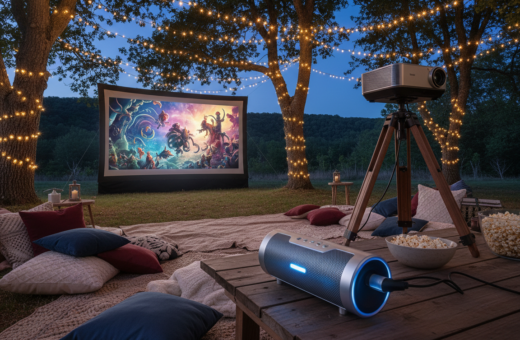
They will learn why a reliable projector matters. The Anker Nebula Mars II Pro, with 500 lumens and 720p resolution, delivers a crisp 100-inch image that supports readable subtitles and visible facial cues. That brightness helps preserve contrast when ambient light is present.
Preparation matters: with the right plan, a portable home theater can be ready in about 30 minutes. This guide covers the best settings, hardware placement, and simple tricks to ensure every word is heard during an outdoor movie night.
Foundations for Clear Outdoor Movie Audio
Clear sound starts by matching equipment to the space and audience size. Choosing the right audio system ensures even coverage across the seating area and reduces hotspots where dialogue gets lost.
Pick gear built for open-air use. Portable powered options often deliver higher quality and easier control than passive rigs. For larger areas, a more robust system will keep volume and clarity consistent from front to back.
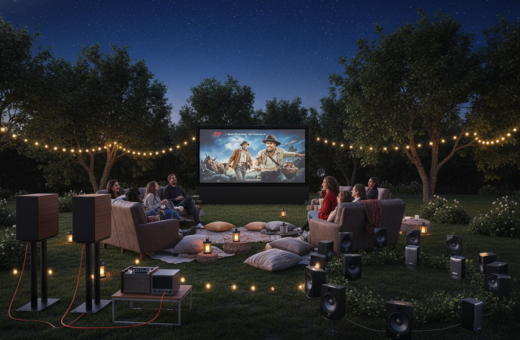
Positioning matters. Speakers should aim toward the audience and sit just outside the projection screen’s edges so the sound aligns with the picture. Integrating the projector with the audio creates a seamless home cinema experience.
- Verify the size of the area to set speaker coverage and seating layout.
- Test a 120-inch Vamvo projector screen—it can be set up in under five minutes without tools.
- Plan for scalable equipment if the event grows from a casual night to a larger cinema event.
Focus on these basics and the overall quality of the movie night will improve. Proper foundations prevent common issues and support a professional projection and audio result.
Selecting the Right Outdoor Movie Dialogue Speaker Setup
Right-sized gear and sensible power planning prevent lost words and blown clips during a screening.
Powered versus passive systems: Powered units like the Edifier R1700BTs include built-in amplifiers, so they simplify connections and reduce the need for extra power amps. Their four-inch woofer and .75-inch tweeter balance bass and treble for clearer sound and speech. Passive systems require a separate amp but can scale for larger audiences when paired with the correct power ratings.
Size and power requirements: Match amplifier power to the size of the crowd and the projection area. The Bose TV Soundbar is a compact, portable option (23.3 inches, 6 pounds) and offers a dialogue mode that improves voice clarity for small to medium spaces.
- Plan cable runs and available power before placing equipment.
- Place speakers on either side of the screen to widen the soundstage.
- Check projector and media player volume settings to avoid clipping before raising master volume.
“Balance driver size, power, and placement to keep dialogue intelligible without overdriving the system.”
Strategic Speaker Placement for Optimal Clarity
Where you put your speakers controls how well every line is heard across the seating area. Good placement reduces the need to crank volume and preserves bass and vocal balance for better overall quality.
Optimizing Height and Angle
Place speakers at ear level when the audience is seated. This directs sound toward listeners and avoids muddiness from ground reflections.
Angle each unit slightly toward the center of the seating zone for even coverage. In larger outdoor cinema events, a small toe-in helps maintain consistent clarity without pushing the system hard.
- Position a pair on either side of the screen to keep audio tied to the picture.
- Match the number of speakers to the size of the area so no single unit must overdrive.
- Keep equipment away from reflective surfaces to prevent echo and loss of speech detail.
Quick tip: measure distances and do a short walk-through before the event to confirm coverage. Proper placement is one of the simplest, most effective tips to improve sound and speech clarity for any outdoor movie night.
Managing Audio Connections and Signal Integrity
A reliable signal chain matters more than loud volume when aiming for clear speech and steady projection. Clean paths and quality cables keep sound accurate and reduce hiss or dropouts during a screening.
Use a high-quality HDMI for short runs and a balanced audio cable for long distances. Balanced XLR or TRS runs cut interference and protect the audio signal when moving from the media player to the speakers or amp.
If a laptop is the player, add a DI box to convert unbalanced outputs to a balanced feed for longer runs. That step preserves clarity and avoids hum when distant gear is connected.
- Route all power cords safely to prevent trips and gear damage.
- Prefer shielded cables and keep signal lines away from power runs.
- Leverage an Eero mesh WiFi to stream without buffering across a 3,500 sq ft area.
“A stable connection between the projector and audio system is the foundation of a seamless home cinema experience.”
Do a final review of volume and audio settings before start time. Small checks save time and prevent common issues during the night.
Mitigating Environmental Noise and Interference
Managing the environment around the seating area is key to preserving clear sound and steady projection. Small changes to placement and protection reduce distractions and protect equipment during a night screening.
Controlling Ambient Noise
Use natural and built barriers like fences, dense foliage, or temporary panels to block road and neighbor noise. These barriers improve overall audio clarity for the audience and reduce the need to drive the system too hard.
Managing Wind and Weather
When wind is present, securely mount the projector and speakers to avoid movement. Anchor tripods and weight cover stands. Position a fire pit safely away from the seating area to add warmth without sending smoke toward the screen.
Using Sound Barriers
Deploy protective covers for cables and equipment to guard against moisture and dust. The Flowtron BK-80D helps keep the backyard free of insects across large coverage areas, letting guests focus on the film.
- Keep power and cable runs tidy to prevent trip hazards and signal issues.
- Test coverage from typical seating distances before showtime.
- Use foliage and temporary walls to create an immersive listening area.
Advanced Techniques for Immersive Dialogue
Tight integration of projection and audio is the fastest path to a true cinema experience. Calibrate the projector’s image and the sound system together so vocals sit naturally in the mix.
Use a dedicated subwoofer for low-frequency effects. Offloading bass keeps mids and vocals clean so every line stays intelligible without pushing overall volume.
Adjust the volume and distance of each speaker relative to seating to create a balanced soundstage. Measure listening positions and delay or trim levels until coverage is uniform across the area.
Run high-quality cables from the player to the mixer and amps to avoid signal loss. A compact audio mixer helps manage multiple sources and smooth transitions during the night.
“Calibrate projection and audio as a single system to preserve image fidelity and ensure dialogue clarity.”
- Match equipment to size: scale speaker count to the seating area for even coverage.
- Prioritize cable quality: shielded runs reduce hum and maintain soundtrack clarity.
- Treat the projector and sound as one: synced calibration yields the best cinema-quality result.
Troubleshooting Common Sound Issues
Perform a realistic pre-show test at the same time of night planned for the screening. This helps expose problems with ambient noise, power, and source levels before guests arrive.
Testing Equipment Before the Event
Start with a short checklist. Verify the projector, speakers, and media player power up and sync. Inspect cables and connectors for wear or loose pins.
Play a familiar clip and listen for distortion. If audio sounds clipped, lower the laptop or player volume and raise the master on the amplifier.
Confirm the screen is tensioned and the projector is focused so the image supports clear subtitles and facial cues.
- Bring spare cables, a spare cable for long runs, and extra batteries for remotes.
- Have a rain plan and moveable shelter ready if weather changes during the night.
- Adjust bass and treble after the initial sweep to suit your space and size of the audience area.
“A brief, focused sound check saves time and preserves quality during the event.”
Conclusion
A concise final checklist helps turn careful planning into a reliable, repeatable backyard cinema routine. They should verify audio paths, test cables and power, and confirm the screen and projector alignment well before showtime. Small checks save time and prevent common issues during the night.
Maintaining equipment keeps the system ready for future movie nights. Comfort elements like seating and a safe fire pit add to the home cinema experience. For quick ideas on essential gear and placement, consult the outdoor home theater essentials.
By following this guide and repeating the simple checks, they will get consistent, professional results. Proper care of speakers, cables, and power sources transforms a one-off event into a dependable outdoor cinema tradition.