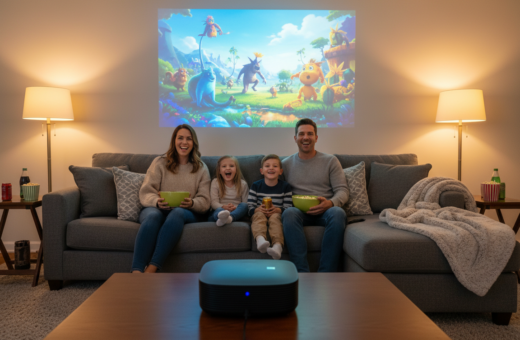
Compact projectors can turn a blank wall into a true home cinema. They bring bright images and rich sound into small rooms without complex installs.
Modern devices use laser and adaptive color tech to match the wall and boost the viewing experience. The XGIMI HORIZON S Max and HORIZON S Pro automatically tune color temperature to improve image results.
Choosing the right unit means checking brightness, lumens, HDMI support and audio options. A pro setup with a solid stand and cable management makes gaming, streaming and movie nights feel polished.
Battery life, price and features shape daily use. With smart choices, a portable projector will change how one uses their living space and lift everyday entertainment.
Transforming Your Apartment Balcony into a Private Theater
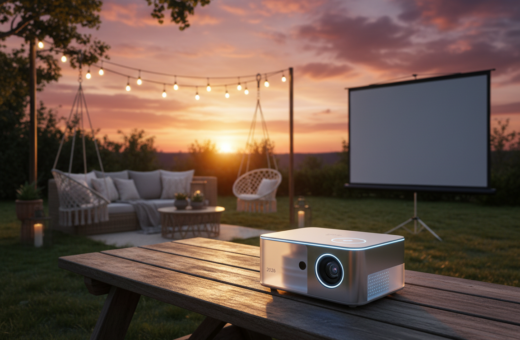
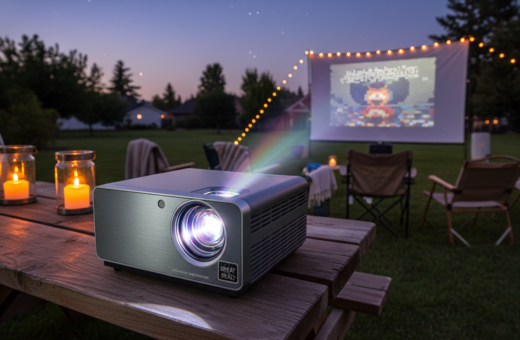
A cozy outdoor screening needs gear that fights evening glare and keeps images crisp. Choosing the right unit makes an open-air movie night feel like a professional theater.
Select a model with strong brightness and reliable lumens. Evening ambient light can wash out a picture, so higher output preserves contrast and detail. A laser light source helps keep color stable as the sky darkens.
Surface choice matters: use a high-quality screen or a smooth blank wall to get sharp image and truer color. The XGIMI HORIZON S Pro is a pro choice because it adapts color temperature to the surface, keeping content consistent across different walls.
“Good placement of audio and HDMI sources transforms casual viewing into a full home theater experience.”
- Place the unit so the beam clears railings and remains steady.
- Connect streaming via HDMI and position speakers for balanced sound.
- Test brightness and color before guests arrive to ensure the best video and audio experience.
Essential Features for a Portable Projector for Apartment Balcony Use
A clear, bright image and easy connectivity turn limited outdoor space into a flexible screening area. This short guide highlights the must-have specs to keep video and sound sharp during evening viewing.
Brightness and Lumens
High lumens are essential when ambient light is present. A unit with strong brightness preserves picture quality and keeps colors accurate as dusk fades.
The XGIMI MoGo 3 Pro delivers 450 ISO lumens, which helps maintain a crisp image on many balcony surfaces when paired with a good stand.
Wireless Connectivity
Wireless support and built-in streaming reduce cable clutter and make setup fast. Devices that offer Wi‑Fi streaming, HDMI passthrough, and Bluetooth audio give flexible options.
- Built-in speakers suit casual use; external audio improves sound for movies and gaming.
- Check power needs—many devices need constant power unless a high-capacity battery is included.
- Look for reliable wireless support and solid resolution to keep video and color true.
Assessing Your Available Projection Space
Start by measuring usable wall width and height. This tells them whether a 100-inch or a 150-inch image will fit comfortably. A 100-inch image is roughly 87.16 x 49.03 inches, while a 150-inch image measures about 130.74 x 73.54 inches.
Calculating Throw Distance
They should use the XGIMI projection calculator to find the ideal throw distance. The AURA 2 is an ultra short throw laser model that creates large images from very close to the wall or screen. That makes it a strong choice in rooms with limited depth.
Plan cable and power locations so HDMI and power lines do not cross the beam. A sturdy stand helps nail height and angle, which preserves color and brightness. Even in a 10 square meter room, careful measurement and the right stand will let them use projection with confidence.
- Tip: Verify the pro-grade HORIZON S Pro’s auto color adjustment if the wall has a tint.
- Tip: Check lumens and laser spec to match ambient light.
Top Picks for Overall Performance and Portability
Some models stand out by offering gaming hubs, high ANSI lumens, and laser sources in one compact device. These choices deliver consistent picture quality and easy setup for quick movie nights.
Samsung The Freestyle 2nd Gen brings a built-in Gaming Hub that supports cloud gaming like Xbox and Nvidia GeForce Now. It is a solid option when gaming and streaming matter most.
BenQ GP520 offers 2600 ANSI lumens of brightness. That helps preserve contrast when ambient light enters the room and keeps the image crisp on a screen or wall.
Anker Nebula X1 is a high-quality laser projector with 3500 ANSI lumens. It delivers vibrant color and strong resolution, so movie content looks sharp and lifelike.
- Consider: price and whether built-in speakers meet sound needs or if external audio is required.
- Tip: use a dedicated stand and manage battery life to improve long session results.
- Note: HDR and high-resolution support greatly enhance video and gaming experience.
Budget-Friendly Options for Casual Movie Nights
For viewers who want good picture on a budget, several well-priced devices hit the sweet spot between value and performance.
The XGIMI MoGo 3 Pro retails near $400 and offers 1080p resolution with roughly 450 ISO lumens. It is a solid choice when brightness and image clarity matter in a small room.
The LG CineBeam Q is another affordable option that supports 4K resolution and strong price-to-performance. These models keep movie nights fun without high cost.
To get the best result, place the unit on a stable stand. Many budget devices need constant power, so plan cable management to keep the setup tidy.
- Control ambient light to boost perceived brightness and preserve color.
- Use external speakers if built-in sound lacks punch for films or gaming.
- Check HDMI and battery options so the device suits casual use and travel.
Even with modest lumens, affordable projectors deliver enjoyable image quality when paired with a good screen and sensible placement. Small upgrades—like a better stand or clearer cables—lift the overall experience without a big price increase.
High-Resolution Solutions for Home Cinema Enthusiasts
When image fidelity matters most, stepping up to high-resolution gear yields dramatic improvements in clarity and texture. Enthusiasts who build a dedicated home cinema often focus on resolution, dynamic range, and faithful color to reproduce cinematic content accurately.
4K Image Quality
4K systems deliver more detail and crisper edges than standard HD. Models like the Anker Nebula X1 combine a laser light source with 4K resolution to produce a sharp picture that holds up on large screens.
HDR Support
High dynamic range formats such as HDR10 and HLG expand contrast and improve shadow detail. This makes movie scenes appear more lifelike and preserves highlights without blowing out bright areas.
Color Accuracy
Color fidelity separates a polished home theater from a casual setup. The LG CineBeam Q offers strong color performance and streaming support that helps content look consistent across titles.
- BenQ GP520: 2600 ANSI lumens, ideal when some ambient light exists.
- High-resolution laser units provide long-term stability and superior image results.
- Proper calibration ensures the 4K image remains sharp and true across the entire screen.
“Invest in calibration and a high-quality light source; the upfront price often pays off in lasting results.”
Specialized Devices for Gaming and Presentations
Competitive play and polished presentations need devices tuned for speed, brightness, and simple setup. The BenQ X300G pairs 2000 lumens with low input lag and high refresh rates, making it a top pick for gaming where every millisecond counts.
The JMGO N1S Ultra 4K targets presenters with 3000 ANSI lumens and a gimbal system that speeds alignment. That extra brightness keeps the image visible in bright rooms and aids crisp slides during daytime meetings.
On-the-go use is covered by pocket-sized units like the Anker Nebula Capsule II, which offers about 2.5 hours of battery life for brief presentations. Battery life and port options matter when HDMI devices and audio sources are involved.
- Tip: Verify resolution and frame-rate support to match gaming consoles or laptops.
- Tip: Prioritize strong speakers or external audio when sound quality affects the experience.
- Tip: Check port selection and plan a stable stand to keep video and image alignment steady.
“Low latency and reliable brightness turn gaming sessions and talks into professional experiences.”
Rental-Friendly Installation and Mounting Techniques
Smart mounting choices preserve walls while delivering steady, repeatable alignment for home viewing. Renters can get solid support without nails or drills.
Ceiling mounts that use tension rods or adhesive pads secure a unit to beams or trim. These methods avoid permanent wall damage and give reliable height and angle control.
Light, powerful models like the Anker Nebula X1 work well with rental-safe mounts. A strong floor stand or small table also keeps the device at the correct height and angle for the screen.
- Use tension rods or adhesive pads to fasten mounts without holes.
- Manage power and HDMI cables with Velcro ties and sticky clips to reduce trips and clutter.
- If no blank wall exists, a tripod screen offers a simple, movable surface.
- Keep airflow clear to prevent overheating during long streaming sessions; battery or continuous power should be monitored.
“Temporary mounts can deliver pro-level alignment while preserving the lease.”
Optimizing Audio and Connectivity for Small Spaces
Small rooms demand focused audio and smart connectivity to get the most from any screen.
Use the built-in speakers when available. Many XGIMI models ship with Harman/Kardon built-in speakers that deliver clear sound suitable for most movie nights. This reduces gear and keeps the setup tidy.
If extra punch is needed, add a compact Bluetooth soundbar. A small soundbar boosts bass and dialog without taking much space. It also avoids complex wiring in a tight room.
- Place speakers so the audio reaches listeners evenly and no furniture blocks the light path to the screen.
- Prefer wireless mirroring from a phone or tablet to cut cable clutter around the projector.
- Manage power and HDMI lines with clips or Velcro to keep the area safe and neat.
“Good speaker placement and simple cable management make every movie feel more immersive.”
To compare compact models, check curated options like projectors for small room and pick a unit that balances brightness and sound for the intended use.
Conclusion
The right device makes a big difference. By weighing brightness, lumens, laser light choices and color accuracy, one can lift the viewing experience to near pro results.
Whether gaming, streaming, or hosting movie nights, a quality portable projector fits modern home life and delivers a sharp image with dependable projection and sound.
Use a sturdy stand and proper support to keep alignment steady. Good setup extends device life and improves long-term results while keeping price sensible.
In short, smart choices about projectors, light source and placement create a lasting home theater or home cinema experience that rewards every night of viewing.