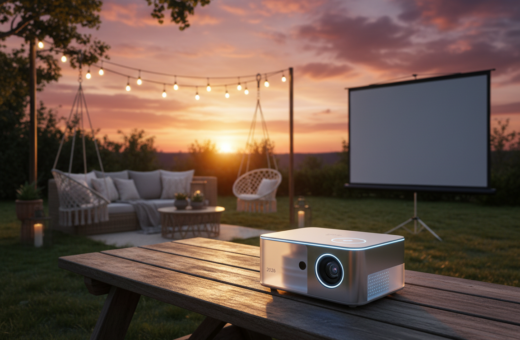
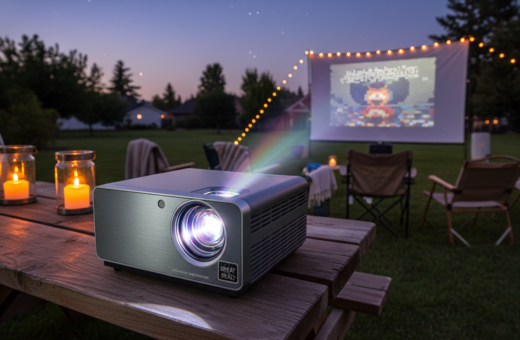
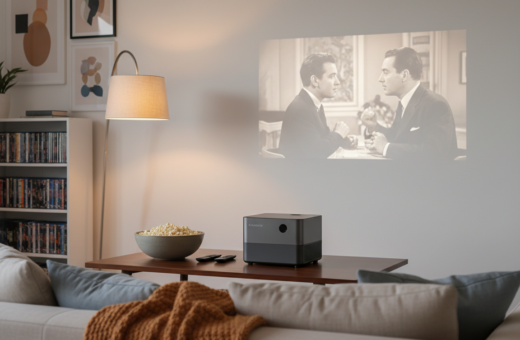
Modern families can move from unboxing to entertainment in under ten minutes. Compact devices like the XGIMI Halo+ have changed how people bring cinema into their life. These advances reduce technical steps and make the transition fast.
The result is a clear, high-definition movie experience that works for all ages. Many new projectors and projectors with smart features pair quickly with phones and streaming services. Proper placement and power choices are the basic steps that keep them reliable.
Families find that faster returns mean more frequent use. In just a few minutes they can enjoy a film, share moments, and make at-home cinema part of everyday life.
Fast start time boosts use. Smart models lower technical barriers. Simple placement and power ensure consistent performance.
Benefits of an Easy Setup Portable Projector
A compact cinema unit brings big-screen quality to bedrooms, backyards, and road trips. The XGIMI Halo+ offers 700 ISO lumens, so it delivers strong brightness and sharp picture performance in varied light.
The portability of these units means families can move their entertainment quickly between rooms or take a device on camping trips. Modern models often include internal batteries, but carrying a reliable power bank helps extend playback for a full movie night.
- Space saving: Compact frames store easily when not in use.
- Versatile use: Works for indoor family rooms and outdoor gatherings.
- Performance: High-quality optics give clear images comparable to larger systems.
Many online guides include purchase links, and retailers may earn affiliate commission when readers buy recommended devices. Overall, choosing a well-built portable option provides a strong value and flexibility for frequent household use.
Selecting the Ideal Location for Your Movie Night
Choosing where to watch shapes every aspect of the viewing experience. Location affects brightness, contrast, and how well colors render on screen. Families should pick spots where ambient light can be controlled for the best picture quality.
Indoor vs outdoor spaces
Indoor rooms, especially a dedicated home theater, deliver strong contrast and stable color. Most home theater models use a 16:9 aspect ratio, which fits widescreen content and keeps image proportions true.
For an outdoor movie night, a Towond 120 inch portable projector screen is a popular option. A proper screen improves brightness and image quality far beyond a plain wall.
Assessing room size
Measure the available space and check the throw distance of the device. Throw distance determines how large the projected image will be and how sharp the final picture remains.
Adjust focus and placement each time the location changes to keep details crisp. Consider portability of the screen so the family can move a reliable option between backyard and living room with minimal effort.
- Tip: Control ambient light for better contrast.
- Tip: Match screen size to viewing distance for ideal picture quality.
- Tip: Use a 16:9 surface for cinematic viewing.
Essential Equipment for a Seamless Experience
Small investments in power and sound dramatically lift the viewing experience. A high-quality power bank keeps a projector running through outdoor movie nights and prevents mid-film interruptions.
Good audio matters more than most expect. Integrating external speakers or a soundbar brings the depth and clarity of a home theater. When speakers match the room, dialogue and effects feel immersive.
Choose a screen with the right material to protect brightness and contrast. A proper surface improves image color and overall picture quality far more than a plain wall.
- Stability: A dedicated stand preserves focus for the entire movie.
- Cable management: Tidy cables reduce hazards and keep the space inviting.
- Power options: Carry a reliable bank and spare cables to extend use.
Tip: Balance projector brightness to match ambient light and the chosen space. This simple step ensures the best image and a more cinematic experience for family nights.
Understanding Projector Basics and Smart Operating Systems
Knowing how a device’s operating system works makes streaming and control much smoother. Modern smart systems transform a compact device into a media hub that handles apps, casting, and network access.
Android TV platforms give access to the Google Play Store and a wide library of streaming apps. This makes adding a favorite app straightforward and expands available content for family movie nights.
Google TV Features
The Nebula Mars 3 Air GTV is a common pick for users who want Netflix and native Google TV integration. Google TV focuses on discovery and personalized recommendations, improving the viewing experience.
Specialized Operating Systems
Some models use custom systems like FengOS on the Formovie S5. These tailored OS options prioritize a theater-like interface and advanced calibration controls for color, contrast, and focus.
- Tip: Adjust brightness and contrast in system menus for best picture quality.
- Tip: Use built-in WiFi to stream content and preserve portability of the unit.
- Tip: Consider external audio for fuller sound even if the device has built-in speakers.
For a practical guide to getting started and choosing the right system, consult this projector setup guide.
Initial Setup and Powering On
Within a few minutes of unboxing, families can power on and project a bright, watchable image. The first steps focus on placement and a steady power source to prevent interruptions during the initial configuration.
Place the unit on a level surface. This ensures the image stays in focus and reduces the need for constant adjustment. Proper placement also helps the device measure the screen size and align keystone correction automatically.
Connecting to WiFi
After power-on, the on-screen guide walks users through connecting to a stable WiFi network. A steady connection is critical for high-definition content, software updates, and new features.
Tip: Complete any firmware updates before streaming a full movie to get the latest fixes and content support.
- Adjust brightness and contrast using the wizard to match room light and screen material.
- Check color and focus with a test image so image quality meets expectations.
- Reconfigure quickly when moving the device to a different space — most modern units remember settings or guide the process in minutes.
Achieving the Perfect Picture with Keystone Correction
Correcting image geometry is the first step toward true cinema-grade picture in imperfect spaces.
Keystone correction keeps a skewed image square so the audience sees a clean rectangle on the screen. Many modern projectors include auto keystone correction, which speeds alignment and reduces manual tweaks.
Always start by lining up the device with the screen physically. Electronic correction helps, but proper placement limits distortion and preserves picture quality.
After keystone correction, fine-tune focus and zoom. This sequence ensures the image is sharp and that brightness, contrast, and color read accurately.
- Flexibility: Keystone lets families place a projector in tight spaces without sacrificing image shape.
- Calibration: Adjust color and brightness only after the image is square for the best movie results.
- Verify: Check keystone settings against your screen size to maintain high picture quality.
Connecting Your Favorite Streaming Devices
Choosing the right connection method determines whether the image stays sharp and the sound stays in sync. This section covers wired and wireless options so families can play games, watch movies, or run apps with confidence.
Wired HDMI Connections
HDMI gives the most stable link for game consoles and Blu-ray players. A direct cable preserves video and audio integrity so picture and brightness remain consistent.
- Use high-speed HDMI for 4K or high-frame-rate content.
- Check input on the device when switching sources to avoid no-signal delays.
- Troubleshoot by reseating the cable if an app shows playback issues.
Wireless Screen Mirroring
Screen mirroring lets users cast content from a phone or laptop without cables. Many projectors and projectors with smart OS support built-in casting or third-party dongles.
- Tip: Ensure strong WiFi to reduce buffering during streaming.
- Tip: Use keystone correction if the device sits at an angle that distorts the image.
- Tip: Auto keystone correction speeds alignment for a quick game night.
Final note: Configure each app and input properly before a show to keep picture quality steady for the whole session.
Enhancing Audio Quality for an Immersive Feel
Clear, well-tuned audio turns a movie night into a memorable cinematic event.
Most projectors benefit from external speakers. Adding a soundbar or bookshelf speakers gives depth that built-in drivers cannot match. For larger crowds, a dedicated sound system outperforms standard units every time.
Many projectors and projectors with modern firmware include Bluetooth. Wireless speakers make a cleaner, cable-free arrangement and work well with a portable projector for backyard evenings.
If audio drifts from the picture, adjust delay settings on the device or receiver. Proper routing matters; keystone correction handles visuals, while correct audio routing completes the immersive experience.
- Test levels: Check dialogue clarity before the show.
- Sync: Tweak audio delay if lips don’t match sound.
- Balance: Preserve bass and midrange for theater-like impact.
Managing Ambient Light and Contrast
Controlling room light is the single most effective step to preserve image depth. Ambient light directly reduces contrast and washes out dark scenes. For the best results, use blackout curtains or pick a darker room for a true home theater feel.
Optimizing Brightness Settings
For dark home theater rooms, aim for at least 1500 lumens to keep brightness and contrast strong. If lights leak in, raise brightness moderately, but avoid maxing levels that crush blacks.
Outdoors in the backyard or a brighter living room, increase brightness further and prefer a high-contrast screen to preserve picture quality. When placing a unit at an angle, use keystone correction to maintain a square image.
- Tip: Use auto keystone correction when light sources force off-axis placement.
- Tip: Adjust brightness by time of day—lower at night, higher at dusk.
- Tip: Pair a high-contrast screen with careful lighting control for the best image and contrast.
Good contrast management makes colors pop and keeps shadow detail intact, even outside a perfectly dark room.
Troubleshooting Common Setup Challenges
Most common playback problems come down to connections, power, or misaligned images. Start by checking HDMI and power cables for secure seating. Loose cables often cause signal loss or intermittent audio.
If auto keystone correction miscalculates, switch to manual keystone correction or reset the auto keystone feature. Manual correction often fixes persistent alignment errors quickly.
Verify speakers are connected to the correct audio output and test sound levels before a show. If audio stutters, reseat cables or try a different input to isolate the issue.
- Overheating: Ensure vents are clear and the unit is not inside a closed box or cabinet.
- Power backup: A power bank is a reliable option if the internal battery fails during a long game or movie session.
- Accessories: Some retailers may earn affiliate commission on extra cables or stands that help resolve issues.
Tip: A quick system reset and firmware check solves many problems. Most issues clear after confirming connections, power, and correction settings.
Conclusion
Bringing the family together for film and laughter should feel straightforward and rewarding.
Setting up a high-quality unit for memorable movie nights can take less than ten minutes. Mastering keystone correction, contrast, and brightness delivers a clean, cinematic image every time.
Whether indoors or enjoying backyard nights, the right speakers and screen make a big difference. Small, reliable choices help bring cinema into family life without extra fuss.
Modern systems simplify connections and control, so families spend more time watching and less time adjusting. The guide aims to make the next evening smooth, clear, and fun for everyone.