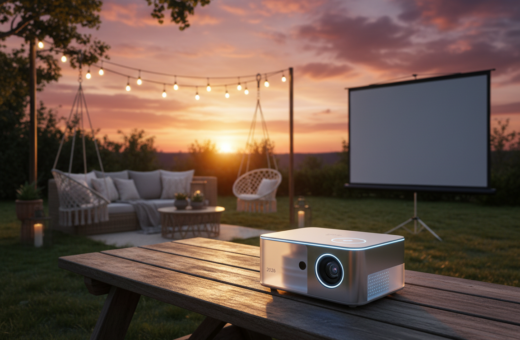
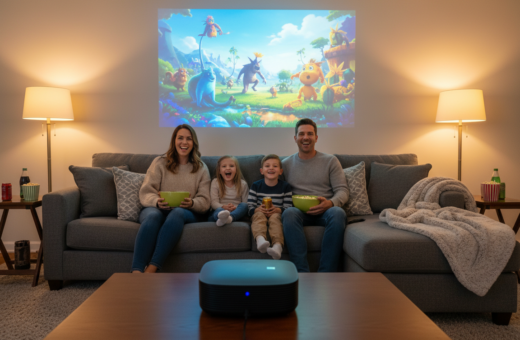
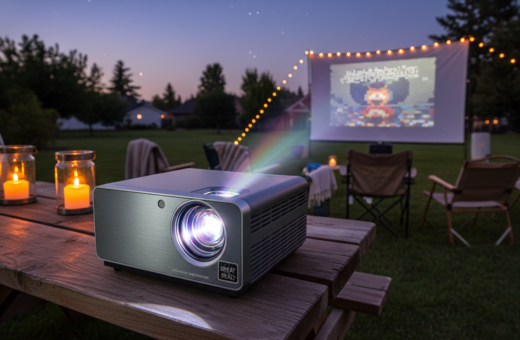
Outdoor movie nights are more accessible than ever thanks to new compact devices that deliver bright images and solid sound. The Samsung Freestyle 2nd Gen offers 230 ANSI lumens and 1080p clarity with a 360-degree speaker system, making it a top pick for backyard screenings.
Other models answer different needs. The Anker Nebula Capsule 3 runs about 2.5 hours, while the Anker Nebula Mars 3 reaches roughly 5 hours in Eco mode and adds rugged, IPX3-rated design. For extra brightness, the XGIMI Halo Plus pushes 900 ANSI lumens for clear images even with some ambient light.
Choosing the right unit means weighing brightness, runtime, and features like autofocus and keystone correction. These additions make setup fast and keep the focus on the film.
This guide helps readers compare performance, image quality, and run time so they can pick the best option for a true home cinema feel outdoors.
Why Battery Life Matters for Outdoor Cinema
Reliable runtime defines whether an outdoor screening fades out before the final credits roll. For anyone moving a home cinema outside, run time is as critical as resolution or sound quality.
During testing, reviewers watched over 20 hours of films and shows to see how each device handles real use. A colorimeter measured ANSI lumens and contrast on an 80–100in screen to confirm image stability as power drops.
Consistent brightness and image resolution across the full run keep viewers immersed. Modern models include power management that stretches runtime by lowering light output without crippling picture quality.
- Portability matters: lightweight units let you carry a full system to parks and backyards.
- Built-in speakers and smart OS features can affect total runtime.
- Some models, like the Anker Nebula Mars 3, deliver about five hours—enough for a double feature under the stars.
“Without a built-in cell, you would rely on power banks or extension cords, which limits flexibility.”
For more recommendations on long-run models and setup tips, see the best portable picks.
Top Picks for a Long Battery Portable Projector
A handful of models stand out for combining runtime and image quality in a compact chassis.
The Anker Nebula Capsule 3 is the top pick. Priced at about £370, it delivers 1080p resolution in a mini form factor. It handles streaming apps smoothly and sets up fast with reliable autofocus.
XGIMI Halo Plus targets users who want brighter images. With 900 ANSI lumens and roughly 2.5 hours of play time, it brings strong picture quality and clear sound for backyard nights.
The rugged Anker Nebula Mars 3 features a built-in battery that lasts about 5 hours. That makes it ideal for camping or events where power is scarce.
- Every recommended model passed streaming tests on a 100in screen.
- Evaluation focused on price, brightness, and internal speaker performance.
- Throw ratio and motion handling were checked to ensure steady picture for gaming and films.
“Choosing the right model means balancing brightness, run time, and sound to create a true home theater experience.”
Samsung Freestyle Second Generation Performance
Samsung’s Freestyle 2nd Gen proves how much a mini design can do for everyday cinema. Priced at £549, it offers 230 ANSI lumens and 1080p resolution that benefit from effective tone mapping and HDR support.
HDR Support
The unit supports HDR10+ and HLG, which improves dynamic range on dark scenes. Tests showed colors gain extra punch and better gradation in dim rooms.
Contrast and black levels are not class-leading, but HDR tone mapping helps maintain image quality across movies and streaming apps.
Gaming Hub Integration
Built-in Gaming Hub lets users pair a wireless controller and stream cloud-based games like Xbox without additional hardware. That makes this model a versatile mini system for both films and gaming.
The Tizen operating system is intuitive, and a micro-HDMI port adds support for external sources. It does lack an internal power cell, so it needs mains power for extended sessions.
- Best portable choice for users who want easy setup and smart features.
- 360-degree speaker provides fuller sound than its size suggests.
- Overall performance balances image, sound, and cloud gaming access.
“The Freestyle 2nd Gen remains a benchmark for how a mini projector should balance smart features with a stylish, minimalist design.”
XGIMI MoGo Three Pro Design and Usability
XGIMI’s MoGo 3 Pro pairs a smart shape with practical controls to speed setup and improve durability. Priced at £429, the unit targets users who want a compact device that still delivers solid image performance.
The cylindrical design protects the lens when not in use and makes the device resilient on the move. With 450 ISO lumens it produces a bright picture that works well in moderate ambient light.
Height Adjustment Features
The new form factor includes a two-position height adjustment so the projector can line up with the screen without an extra stand. A 130-degree range of viewing angles adds flexibility for unusual seating or wall placement.
- System: Google TV simplifies app access and system navigation.
- Setup: Automatic keystone correction and autofocus give a proper picture fast.
- Speakers: Built-in sound is usable, but pairing a Bluetooth speaker improves audio quality for home cinema sessions.
“The MoGo 3 Pro is a durable, easy-to-use option among compact models.”
Anker Nebula Capsule Three Portability
Shaped like a drink can, the Nebula Capsule 3 combines a compact form with practical features for on-the-go viewing. It weighs 950g and fits easily in a daypack, making it a true grab-and-go option for casual screenings.
Key specs: the unit is priced at £370, offers 200 ANSI lumens and 1080p resolution, and runs for about 2.5 hours on a single charge. Google TV is built in, so app access is seamless and setup is quick.
- Design: soda-can shape that slips into a bag and is easy to handle.
- Use: performs best in dark rooms and on a modest screen.
- Trade-offs: limited brightness but strong software and compact build.
- Value: at this price it is one of the best portable projectors for travelers.
“The Capsule 3 is one of the most travel-ready models we tested—small, sharp, and ready to go.”
XGIMI Halo Plus Brightness and Clarity
The Halo Plus brings a serious boost in output with 900 ANSI lumens and native 1080p resolution. It produces detailed images that stay sharp on larger screens and in moderate ambient light.
Smart auto-focus and auto-keystone correction cut setup time. Users can place the unit off-center and still get a tidy, focused picture in seconds.
During testing the 1080p image retained fine detail even on a 200in screen. Motion compensation sometimes smoothed action unnaturally, but overall picture quality remained impressive for the price.
Software setup was quick; installing Google TV and streaming apps took under ten minutes in our trials. That makes the Halo Plus ready for movies and shows almost immediately.
- Strong output: 900 ANSI lumens deliver clear, bright images.
- Easy setup: autofocus and keystone keep the image aligned fast.
- Versatile use: this mini projector suits indoor screenings and daytime presentations.
“The Halo Plus balances high brightness with reliable image processing, making it one of the best portable models for varied viewing environments.”
Anker Nebula Mars Three Rugged Outdoor Features
Built for campsites and backyard screenings, the Nebula Mars 3 blends rugged engineering with strong audiovisual chops. It is IPX3-rated, so light rain and splashes won’t stop a show. The tough casing also tolerates bumps during transport.
Water Resistance
The IPX3 rating gives confidence when humidity or drizzle appears. Users can set the unit under a canopy or on a picnic table without worrying about brief exposure.
Eco Mode Performance
With 1000 ANSI lumens and over five hours in Eco mode, the Mars 3 balances brightness and power management for extended use. That runtime is enough for a double feature on a dark screen.
- Speakers: a 40W system delivers rich sound that matches the strong image quality.
- Design: larger than the Nebula Capsule but engineered for outdoor use and better resilience.
- Connectivity: HDMI and USB-C make streaming sticks and media players easy to attach.
“By pairing high output with solid runtime and rugged protection, the Nebula Mars 3 sets a new standard for outdoor projectors.”
Understanding Resolution and Image Quality
Resolution defines how much detail appears when an image fills a backyard screen. Higher resolution delivers sharper edges and finer texture, which matters most on a large screen or in a dark room.
Most portable projectors fall between 480p and 1080p. Models that reach 1080p keep text and fine details crisp even at wide screen sizes.
However, resolution is only one piece of the puzzle. Lens quality, color accuracy, and processing all shape the final picture.
- Choose resolution wisely: 1080p is best for a true home cinema feel; 480p or 720p can look soft on larger displays.
- Check ANSI lumens: brightness affects perceived sharpness when ambient light is present.
- Balance contrast and color: good contrast makes images pop, even on a mini projector.
- Match screen size: larger images need higher resolution to retain clarity.
“A balanced system that pairs 1080p resolution with accurate color and solid contrast produces the most cinematic results.”
When shopping for projectors, read tests on image quality and confirm that the unit can deliver the resolution and brightness your room requires.
The Importance of Throw Ratio in Small Spaces
Throw ratio describes the link between how far a projector sits from the screen and the width of the image it casts.
For example, a 1.2:1 throw ratio means placing the unit 3m away will yield roughly a 2.5m wide image. That simple formula helps buyers plan their layout.
In small homes, throw is a critical spec. A short-throw model can produce a 100in image from just a few feet, so it fits in tighter rooms without compromise.
Measure the distance from wall to seating, then compare that number with manufacturer throw data. This avoids the frustration of an image that is too small or cuts off at the edges.
- Space planning: check throw before you buy to ensure the device fits your room.
- Image quality: correct placement helps maximize resolution and perceived brightness, including ansi lumens impact.
- Versatility: many modern portable projectors use a 1.2:1 ratio, which suits most home cinema setups.
“The right throw ratio lets a well-positioned projector deliver a big-screen feel without changing the room layout.”
Managing Brightness and ANSI Lumens
A higher amount of light becomes more critical as image size grows and ambient glow rises.
Portable projectors typically deliver between 100 and 2,000 ANSI lumens, while most models sit in the 300–800 range. In dark rooms this is fine, but daylight or porch lighting can wash out the picture.
When the screen gets bigger, the same light spreads thinner. That reduces perceived brightness and can dull color and contrast even on high resolution models.
- Measure environment: choose at least 500 ANSI lumens for rooms with some ambient light.
- Match screen size: larger images need proportionally more output to stay vivid.
- Mind throw: placement changes how bright the image looks at the viewer seat.
- Test settings: reduce brightness only when you need to save lamp life without harming contrast.
“Even a high-resolution unit will look dull without enough light to overcome ambient conditions.”
Essential Connectivity and Wireless Options
The right connectivity turns a compact device into a complete home cinema system. Users expect reliable Wi-Fi, an HDMI input, USB ports, Bluetooth, and a 3.5mm audio jack to cover most needs.
Wireless features such as Chromecast and Bluetooth make casting from phones and tablets simple. Low-latency streaming keeps games and sports in sync, so viewers do not notice delay.
- Wi‑Fi & HDMI: must-haves for stable HD streaming and connecting consoles or media players.
- Bluetooth: lets users pair external speakers for better sound without extra cables.
- USB & 3.5mm: useful for flash drives, streaming sticks, and legacy audio gear.
- Built-in casting: many portable projector models include Chromecast or AirPlay for quick screen mirroring.
Pick a model with varied inputs so switching sources stays quick. A flexible connection set future-proofs setups and keeps most media devices compatible.
“Connectivity is the backbone of a modern viewing setup; choose a unit that supports current and emerging standards.”
Evaluating Built-in Audio Performance
Not all onboard sound systems deliver the same impact; some feel thin while others simulate stereo depth.
Evaluating built-in audio is a key step to decide if an external sound system is needed. Test the unit at low, mid and high volumes. Listen for clarity, bass presence, and any distortion.
What to check:
- Dialogue clarity at conversational levels — can viewers follow speech without straining?
- Stereo imaging — do left and right channels feel distinct or merged?
- Distortion at peak volume — many speakers break up when pushed.
For gaming and action films, audio impact matters as much as picture. A weak speaker will flatten explosions and music cues.
For a true home cinema or home theater experience, pair the unit with a soundbar or high-quality Bluetooth speaker. Room acoustics and proper placement complete the upgrade.
“The internal speaker system is convenient, but it rarely matches the depth and power of a full audio setup.”
Tips for Extending Your Projector Battery Life
Simple habits help a device deliver more run time when watching outdoors.
Reduce brightness and enable Eco mode. Most models last about two hours in low-light settings, but these steps often add useful hours without harming picture quality.
Manage audio and apps. Lowering volume and closing background apps cuts power draw. For a Nebula Capsule, moderate sound levels noticeably save charge.
- Keep firmware updated: manufacturers release efficiency patches that improve power life.
- Carry a power bank when extra time is needed—choose a high-capacity unit to run a second feature.
- Protect the cell: avoid extreme temperatures to preserve long-term life.
- Optimize settings: use lower frame rates or resolution when acceptable to save power.
“The portability of a device is only as good as its power; plan settings and spares before you head out.”
Pro tip: a Nebula Mars in Eco mode can exceed five hours, making it a reliable option for weekend screenings away from mains power.
Conclusion
Deciding which model fits your needs comes down to image quality, runtime and useful features. Consider whether a built-in battery matters for how you use the kit and where you plan to watch.
For a true home theater feel at home, match brightness and throw ratio to your screen size. Choose a design that fits your routine—rugged for the yard or smart and compact for the living room.
Balance price against performance and available inputs. Plan for extra power options and follow the setup tips here to keep sessions uninterrupted.
Pick the unit that meets your priorities and it will reward you with years of reliable movie nights.