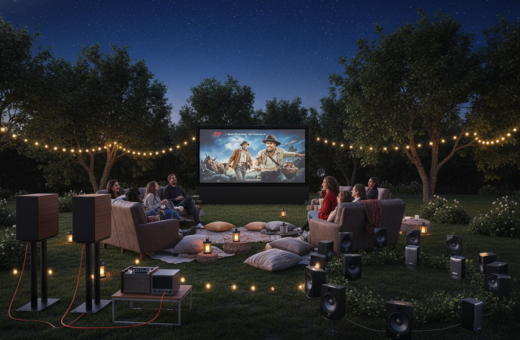
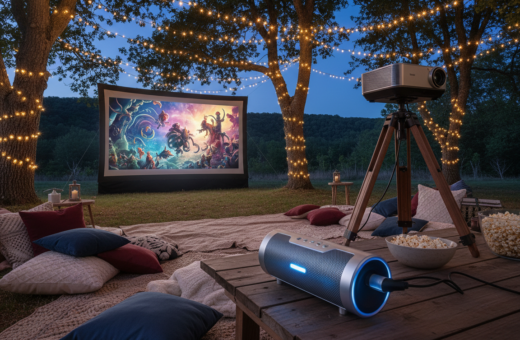
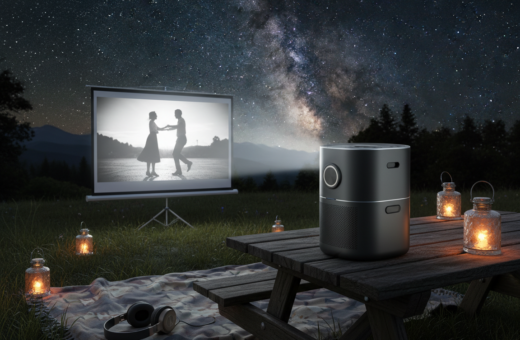
Outdoor movie nights can turn sour when picture and sound fall out of sync. Viewers notice mismatches at just 40–60 milliseconds, while common wireless links often add 100–250 milliseconds. That gap makes dialogue feel off and ruins the experience.
Most modern devices run complex signal processing and codecs that introduce latency. Firmware, settings, and the type of speaker or cable all shape the time it takes for sound to reach listeners. Simple fixes often help.
Restarting gear, enabling low‑latency modes, or choosing wired connections can cut lag fast. Manufacturers publish troubleshooting tips and updates; see this sync guide for specific steps.
In short: understand how each device processes signal, adjust lip sync or switch cables, and keep firmware current to restore smooth playback for movies and games.
Understanding the Technical Causes of Projector Bluetooth Audio Delay
Radio-based audio chains introduce several stages of handling that increase the time between image and sound. Each stage — from encoding to transmission to decoding — adds milliseconds that build up into a noticeable sync issue.
The Reality of Wireless Transmission
Wireless transfer converts digital signals into radio waves and back. That conversion needs processing and buffering. Standard wireless links commonly add about 100 to 250 milliseconds, which exceeds human perception thresholds.
Different versions of the wireless standard often improve stability and range rather than cut latency. Firmware and device processing power also shape how much input lag appears between video and sound.
The Role of Audio Codecs
The codec is the translation layer between source and speaker. If both devices use a basic codec like SBC, the system is limited to higher latency.
- High-resolution content or a slow processor increases processing time.
- External soundbars or speakers can add extra processing stages.
- Firmware updates sometimes optimize the signal path and reduce lag.
Understanding these factors is the first step. For practical steps and a quick checklist, consult the sample troubleshooting guide.
Immediate Steps to Resolve Wireless Sync Issues
Start with a quick power cycle. Restarting the portable projector and speaker fixes roughly 30% of sync problems, according to support forums. Power each device off, wait 30 seconds, then power them back on to clear temporary processing glitches.
Check output settings on the source device. Ensure the correct input and output are selected. If the sound appears behind the picture, increase the lip sync or delay in 50-millisecond increments until the words match the lips.
If dialogue leads the video, reduce the setting or switch to a wired connection. Using a high-quality HDMI or 3.5mm cable can bypass wireless signal processing that causes most lag.
- Verify firmware updates on both the projector and speaker to fix protocol problems.
- Confirm the streaming stick or laptop is set to the proper output and sample rate.
- Repeat tweaks in 50 ms steps and test with short clips until sync is correct.
Optimizing Bluetooth Settings for Better Performance
Tuning codec choices and signal strength makes a big difference in perceived latency. This section shows practical steps to cut lag and improve sound sync without swapping hardware.
Selecting Low Latency Codecs
Choose aptX Low Latency when available; it typically drops latency to about 40–80ms. That range is ideal for gaming and fast films.
If a device supports aptX Adaptive, expect 80–150ms that adapts to content. Check the settings menu so it does not default to SBC, which adds more lag.
Reducing Wireless Interference
Keep the speaker within three feet of the projector to strengthen the signal and reduce noise from nearby WiFi gadgets.
- Turn off or move extra 2.4GHz devices when possible.
- Use fewer active connections during playback for steadier performance.
Disabling Audio Processing
Disable EQ, bass boost, and virtualization effects on both devices. Flat or direct output removes extra processing time and often solves sync problems.
Also enable any Game Mode or Low Latency mode and check for firmware updates. For a step‑by‑step approach, consult the sync guide.
When to Switch to Wired Audio Connections
A simple cable can restore tight lip sync where wireless links struggle. When tests and settings tweaks do not remove lag, a physical link is the next step.
Wired connections reduce encoding and transmission stages, so they offer steadier sync for outdoor movie nights and indoor viewing alike. They also avoid interference that plagues wireless setups.
Benefits of Auxiliary and Optical Cables
- 3.5mm auxiliary: This is the most reliable way to remove encoding and transmission issues. It keeps sound closely aligned with the video output.
- Optical (TOSLINK): Sends sound as light pulses for very low latency and supports multichannel surround formats.
- HDMI ARC: Good for compatible soundbars and TVs, but verify that the projector supports ARC before buying cables.
- Stability and value: A $10 cable can often solve persistent sync problems more effectively than complex wireless settings.
Even with modern devices and advanced speakers, a direct connection remains the gold standard for minimizing latency and fixing lip-sync problems. If wireless options fail, switching to wired connections will usually produce the most stable result.
Matching Your Audio Setup to Specific Content Types
Different content types demand different sync tolerances, so match the setup to the program for best results.
For dialogue-heavy films, aim to keep the sound delay under 100 milliseconds so lips and words stay natural. That threshold prevents viewer distraction and preserves the emotional beats of a scene.
Competitive games need far tighter performance. Players require near-instant feedback under 40 milliseconds. The soundcore Nebula Cosmos 4K SE achieves input lag below 19 milliseconds in Game Mode, which makes it a strong choice for responsive play.
Animated features and casual titles tolerate small mismatches better than live-action or sports. Music playback is the most forgiving since listeners do not match speech to mouths.
- Dialogue films: keep delay
- Competitive games: chase
- Concerts: aim for visual-instrument sync; viewers notice large mismatches.
By matching the connection and settings to the content, users get the best viewing experience from their projector and speakers. Small choices make a big difference in perceived sync and overall enjoyment.
Advanced Troubleshooting for Persistent Latency
When sync problems persist, a step-by-step isolation routine reveals whether the source, receiver, or link is at fault.
First, test the speaker with a phone or another source to isolate the issue. If the external speaker behaves, the problem likely lives in the main device or its settings.
Some entry-level projectors only support basic SBC codecs. In that case, an external transmitter with aptX Low Latency support can bypass built-in limits and cut perceived lag markedly.
- Restart both devices after long sessions; thermal throttling and tiny clock drift can cause sync drift.
- Check the manual for codec and output limits, and update firmware on all devices.
- Ensure HDMI or optical connections to a soundbar are secure, and try a different cable if problems persist.
- Reduce distance and remove obstacles between devices to keep the signal stable.
- When all else fails, switch to a wired cable for the lowest latency and most reliable sync.
Advanced users can measure input lag with high-speed cameras to fine-tune settings down to precise milliseconds.
Conclusion
Small changes and firm habits can turn a rocky backyard screening into a smooth viewing night. By combining quick checks with the right gear, viewers regain control and enjoy every scene without distraction. Key takeaway, consistent steps lead to consistent results.
Start with simple restarts and tweak codec or output settings. For timing-sensitive content, favor a wired connection to ensure tight sync. Keep firmware current and maintain cables to prevent future interruptions.
With these practical steps, anyone setting up outdoor playback can solve common problems and deliver a better viewing experience for their guests. Enjoy reliable, lag-free streaming every time.