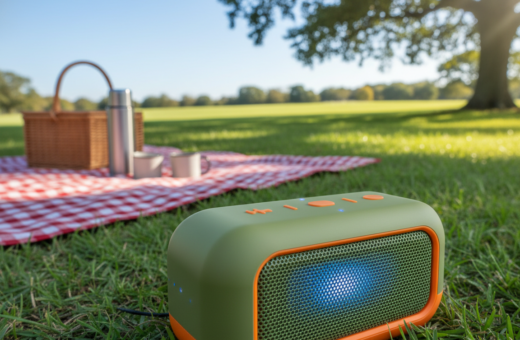
Choosing the right projector means focusing on what delivers real value, not jargon. In 2026 the market is large and growing; many buyers see ultra-compact models that work for backyard movie nights or quick presentations.
Avoid getting lost in specs. Key points like resolution, brightness, and image quality matter more than flashy features. The most useful units turn walls or a simple screen into a clear picture for a living room or a dark room.
Practical factors include size, setup, speakers, and support. This short section aims to clear confusion about ANSI lumens and ports so readers can pick a model that fits their viewing needs and price expectations.
Understanding the Modern Portable Projector Landscape
Today’s market blends smarter software with brighter light sources to make crisp image delivery easier for home and on‑the‑go use. New models add built‑in apps, Wi‑Fi, and Bluetooth so users stream without extra devices.
LED and laser light engines bring longer life and improved brightness. That helps maintain picture quality and keeps lumens high enough for casual living room or dark room viewing.
Design variety is wide: pocket‑size devices for travel, wheeled all‑in‑one units for easy transport, and compact home theater models for better audio and image performance.
Smarter setup features matter. Auto‑focus, keystone correction, and AI image tuning speed setup and improve image quality on any screen or surface. Built‑in speakers help, but many buyers still pair external audio for movie nights.
- Wireless streaming and smart apps simplify use.
- Laser and LED options boost longevity and brightness.
- Auto setup tools reduce time-to‑viewing and support varied throw distances.
Essential Factors for Your Portable Projector Buying Guide Budget
Start by matching core specifications to how and where the device will be used. That makes it easier to pick a model that balances image quality, brightness, and price.
Technical Specifications
Resolution matters. For most home cinema and movie nights, 1080p offers clear picture quality without a steep price jump. The soundcore Nebula Capsule 3 is a good example with a Full HD 1080p image and built‑in Google TV for streaming.
Setup and mobility count. Quick autofocus and auto‑keystone reduce fuss. The Capsule 3 weighs about 2 lbs and includes those features, making setup faster for any room or screen.
Price-to-Performance Ratio
Battery life and audio affect real value. Around 2.5 hours of playback covers a full movie, and an 8W Dolby Audio speaker adds usable sound for casual viewing.
- Weigh resolution against brightness and lumens for ambient light situations.
- Look for wireless features and solid support to extend device usefulness.
- Check weight, setup tools, and audio to judge true day‑to‑day value.
Defining Your Primary Usage Scenarios
Choose the setting first. That clarifies which features will matter most for viewing comfort and image quality. Different uses need different brightness, battery life, and audio.
Backyard Movie Nights
For outdoor evenings, aim for 200–300 ANSI lumens so the picture stays sharp under dim ambient light. A higher resolution helps maintain detail on larger screens.
Tip: Simple stands and a white sheet work fine, but good speakers improve the movie experience.
Travel and Camping
Travel use favors small, light models under 2 lbs and strong battery life. Built‑in apps such as Google TV reduce gear, letting users stream without extra devices.
Choose LED or compact laser options for longer lamp life and lower power draw when outlets aren’t available.
Tailgating and Events
Parking‑lot and event viewing need much more light. Aim for devices rated near 3000 ANSI lumens so the image holds up under stadium lighting.
Also consider: throw distance, robust audio, and quick setup to make event nights run smoothly.
- Backyard: 200–300 ANSI lumens for clear outdoor image.
- Camping: light size and multi‑hour battery for off‑grid use.
- Tailgating: ~3000 ANSI lumens for visibility in bright lots.
- Travel: models under 2 lbs and built‑in streaming apps ease hotel use.
For a deeper look at matching specs to real use, see the projector buying guide.
Why Resolution Matters for Image Clarity
“Resolution defines how many pixels make up the picture, and that count changes what viewers actually see on a screen.”
Resolution sets the baseline for picture quality. At 720p (HD), the image looks fine for casual travel watching and simple presentations. It keeps files small and power use low.
1080p (Full HD) is the most practical choice for home use. It delivers clear detail for movies, games, and most presentations without a big price jump.
WUXGA (1920 × 1200) suits classrooms and offices where crisp text matters. It keeps documents readable at larger screen sizes.
4K UHD (3840 × 2160) offers the finest detail. It is ideal for a true home theater experience where every texture and shadow shows up.
- Match resolution to screen size and viewing distance.
- Higher resolution needs more light and power for peak brightness.
- Choose 1080p for most homes; pick 4K for dedicated home cinema setups.
“Pick the resolution that serves your use — higher detail matters most on big screens.”
Decoding Brightness and ANSI Lumens
Not all lumen numbers translate the same way to your backyard or living room screen. Buyers should consider ambient light, screen size, and contrast to judge real-world performance.
Ambient Light Considerations
ANSI lumens measure light output, but ambient conditions decide if a picture looks good. Daytime or brightly lit rooms need far more lumens than a dark home theater.
Practical example: the soundcore Nebula Mars 3 lists 1000 ANSI lumens, which makes it bright enough for daytime viewing and many backyard setups.
- Higher lumens help preserve image detail on larger screens and in lighter environments.
- Built-in 40W speakers and Dolby Digital Plus let the Mars 3 pair visual brightness with strong audio for outdoor movie nights.
- Five hours of battery life and rugged IPX3 protection support extended viewing without constant power or heavy setup.
“Match lumen ratings to your typical viewing conditions rather than relying on specs alone.”
Evaluating Battery Life for On-the-Go Viewing
Battery runtime is the single most practical spec for on‑the‑go viewing, since most films last longer than an average charge. Most movies run 1.5–2.5 hours, so they should finish without a mid‑show interruption.
A brighter picture increases power draw. Users should balance brightness and picture quality to extend hours of play.
Accessories matter. A tripod with a built‑in power bank or a small external battery can add significant extra playtime for outdoor or remote viewing.
Short‑life models (up to 2 hours) work well for quick videos, casual indoor use, or short gatherings. Models offering 3+ hours are better for backyard movie nights or long days without outlets.
- Most films are 1.5–2.5 hours — plan battery for a full movie.
- Bright settings reduce hours; dial brightness where possible.
- External power options extend viewing and support heavier features like built‑in speakers and higher resolution.
“Aim for at least a full‑film runtime or plan a reliable external power source.”
Assessing Speaker Quality and Audio Integration
Good audio transforms a bright image into an immersive movie experience. Assessing built‑in sound and external options helps match audio to the viewing space and screen size.
Built-in Audio Capabilities
Many models include Dolby Audio to boost clarity and bass. That makes voices clearer and reduces the need for extra gear in small rooms.
The soundcore Nebula Capsule series typically ships with 5W–8W Dolby Audio. That output suits casual home viewing and short movie sessions.
External Speaker Support
For larger spaces or outdoor events, external sound matters. The soundcore Nebula X1 Bundle adds immersive 4.1.2 surround audio, ideal for movie nights and bigger gatherings.
- Bluetooth speaker pairing extends range and loudness for parties and tailgates.
- Dolby Audio projectors provide better voice clarity and fuller bass than basic built‑ins.
- Carry an external amp or wireless speaker for reliable support in bright, noisy environments.
“Sound quality is half the experience; add external audio gear if built‑ins fall short.”
Connectivity Options for Seamless Streaming
Whether wired or wireless, the right connections remove friction from setup and playback.
HDMI remains the go‑to for laptops and game consoles. It gives a stable, high‑quality signal so the image and sound stay intact during a movie or game.
USB‑C adds convenience. On select models it carries video and can charge the unit, reducing cables and streamlining the setup.
- Wi‑Fi for built‑in apps and screen mirroring from phones and tablets.
- Bluetooth to pair external speakers or controllers without messy wiring.
- Look for a tripod mount to aim the screen precisely and lock down the size and placement.
Good connectivity blends wired reliability with wireless freedom to match price and use case.
“Choose ports and wireless features that match how you plan to use the device.”
Best Overall Budget Projector Picks
The top picks blend reliable image quality with easy setup and real-world features.
The NothingProjector One Google TV Smart projector stands out for home movie nights. It ships in a matte black finish and can cast up to a 120-inch image.
Priced under $150, it runs Google TV for direct access to Netflix and Prime Video. Native Full HD 1080p with HDR10 gives clear detail and decent contrast for evening viewing.
- Connectivity: Wi‑Fi 6, HDMI input, and Bluetooth 5.2 for wireless audio and consoles.
- Practical size: compact enough to move between rooms and simple to set up.
- Accessory: pair with the SKERELL 120-inch screen to match the maximum image size.
“Choose a model that balances resolution, brightness, and built-in speakers for the best real-world value.”
Top Value Models for Home Cinema
A few standout models balance true Full HD resolution with useful setup tools for quick deployment. This makes them ideal for compact home theaters that need reliable image and straightforward controls.
Smart Operating Systems
VOPLLS Q5 Mini Projector ranks high among value models. It delivers 600 ANSI lumens of brightness, native Full HD 1080p, and can process 4K sources into a sharp Full HD image.
Practical setup is a highlight. The Q5 has a built‑in stand with 360‑degree rotation, plus autofocus and auto keystone to speed setup for living‑room screens.
- Brightness: 600 lumens supports larger images on an 80‑inch screen.
- Resolution: native 1080p with 4K source processing.
- Setup: 360° stand, autofocus, and auto keystone cut initial fuss.
- Audio: internal 3W speakers are usable, but a portable soundbar improves home cinema sound.
“Match screen size and room light to this model for the best results.”
Selecting the Right Projection Surface
A smooth, light-colored surface gives the clearest image and the best contrast. A flat white wall or a dedicated screen reflects light evenly and preserves color accuracy. This simple choice often helps more than raising brightness or changing lenses.
Textured walls and dark paints absorb light. They reduce contrast and wash out detail, even if a projector offers high lumens. For mobile use, a tripod screen or one with legs fixes uneven surfaces and speeds setup.
- Flat, light surfaces: sharpest, most accurate image.
- Avoid textured/dark walls: they cut contrast and color vibrancy.
- Dedicated screens: optical coatings boost reflectivity for better 4K results.
- Portable screens on stands: improve picture when a wall isn’t available.
- Wall‑mounted screens: best for premium home theater and long‑term installations.
Tip: Balance screen choice with brightness and audio placement to get the best viewing experience for the price and space.
Placement and Setup Essentials
“Where the unit sits has a bigger effect on image quality than many expect.”
Distance matters. For Capsule models, placing the unit about 2.5 to 3.5 meters away typically produces an image between 80 and 120 inches.
Height and alignment help. Use a tripod or a stack of books to raise the device to eye level. That avoids keystone issues and keeps the picture centered on the screen.
Control light for contrast. Dimming ambient lights and closing windows is crucial indoors to maintain contrast and see the projected image clearly.
Outdoors, wait until after sunset. Even projectors with high lumens struggle in direct daylight, so night viewing gives the best results.
- Place the unit 2.5–3.5 m back for an 80–120″ image.
- Raise and center the device to avoid distortion.
- Dim lights or choose night for outdoor use.
- Charge fully or stay near an AC source to prevent power interruptions.
“Small setup choices—distance, height, and light control—make the biggest real-world difference.”
Troubleshooting Common Performance Issues
A handful of simple steps can resolve most performance problems without tools or tech support. Follow a short checklist to isolate power, image, and audio faults before calling support.
Resolving Image Distortion
If the image appears blurry, clean the lens gently with a microfiber cloth. Then adjust the focus ring or enable the built‑in autofocus feature.
Tilted or uneven projection usually needs keystone correction. Adjust the tripod height or the unit’s angle to center the screen and remove trapezoid shapes.
If brightness or keystone controls fail, check power and input. Confirm source resolution matches the device and that lumens settings are not limited by an eco mode.
Fixing Audio Sync Issues
For sound problems, increase volume on both the source device and the unit. Reconnect the bluetooth speaker if audio drops or lags.
When streaming stalls, restart the app or the projector and verify Wi‑Fi and account sign‑in. If the unit will not power on, charge fully and hold the power button for 3–5 seconds or try a different outlet.
“Start with simple checks—lens, power, and connections—then move to settings if the fault persists.”
Maintenance Tips for Longevity
Regular cleaning and smart handling extend a unit’s useful life and keep images sharp.
Clean the lens gently. Use a microfiber cloth and avoid dried paper or rough tissues that can scratch a delicate lens. Small, regular wipes keep the image clean and clear.
Avoid placing the device on soft surfaces like beds or cushions. Soft surfaces can block air vents and cause heat buildup that reduces brightness and shortens component life.
- Store the unit in a travel case such as the soundcore Nebula Capsule 3 Travel Case to guard against dust and bumps.
- Don’t leave it plugged in all day; use the official charger to protect battery health over time.
- Check for firmware updates regularly to fix bugs and improve system efficiency.
Proactive care saves money. Simple routines reduce repairs and keep projectors performing at peak levels.
“Small maintenance steps today prevent big problems tomorrow.”
For expected lifespan and deeper care tips see how long projectors last.
Future Trends in Projection Technology
The next wave of consumer projectors will pair laser light with AI and HDR to simplify setup and lift image quality.
Laser sources will replace older bulbs, giving longer life and steadier color over time. That shift raises screen contrast and keeps image fidelity high during long sessions.
Auto‑calibration will tune geometry, color, and brightness to the room or outdoor space instantly. Users will see faster, more accurate results without manual menus or test patterns.
- By the early 2030s, HDR, laser light, and AI setup are expected to be standard on many models.
- 4K will become common; 8K prototypes point to even finer detail for large screens and immersive image work.
- Projection mapping will expand into art, concerts, and public installations beyond home use.
“Auto‑tuning and brighter light engines will make high‑quality image delivery nearly automatic.”
Conclusion
The best choice matches a device’s strengths to how someone plans to use it. They should pick features that matter most to their lifestyle — setup ease, reliable audio, and the right brightness and resolution for their screen.
Practical setup and care make a big difference. Proper placement, a flat light surface, and simple maintenance extend life and keep images sharp.
Future-ready tech like laser lighting and built-in streaming keeps an investment relevant. Follow these recommendations and they will create great movie nights, travel setups, or reliable business displays that last.